How to tell if someone has remote access to your PC
Five places to check on a Windows PC after a tech-support scam call, what to do first, and how to shut the door.
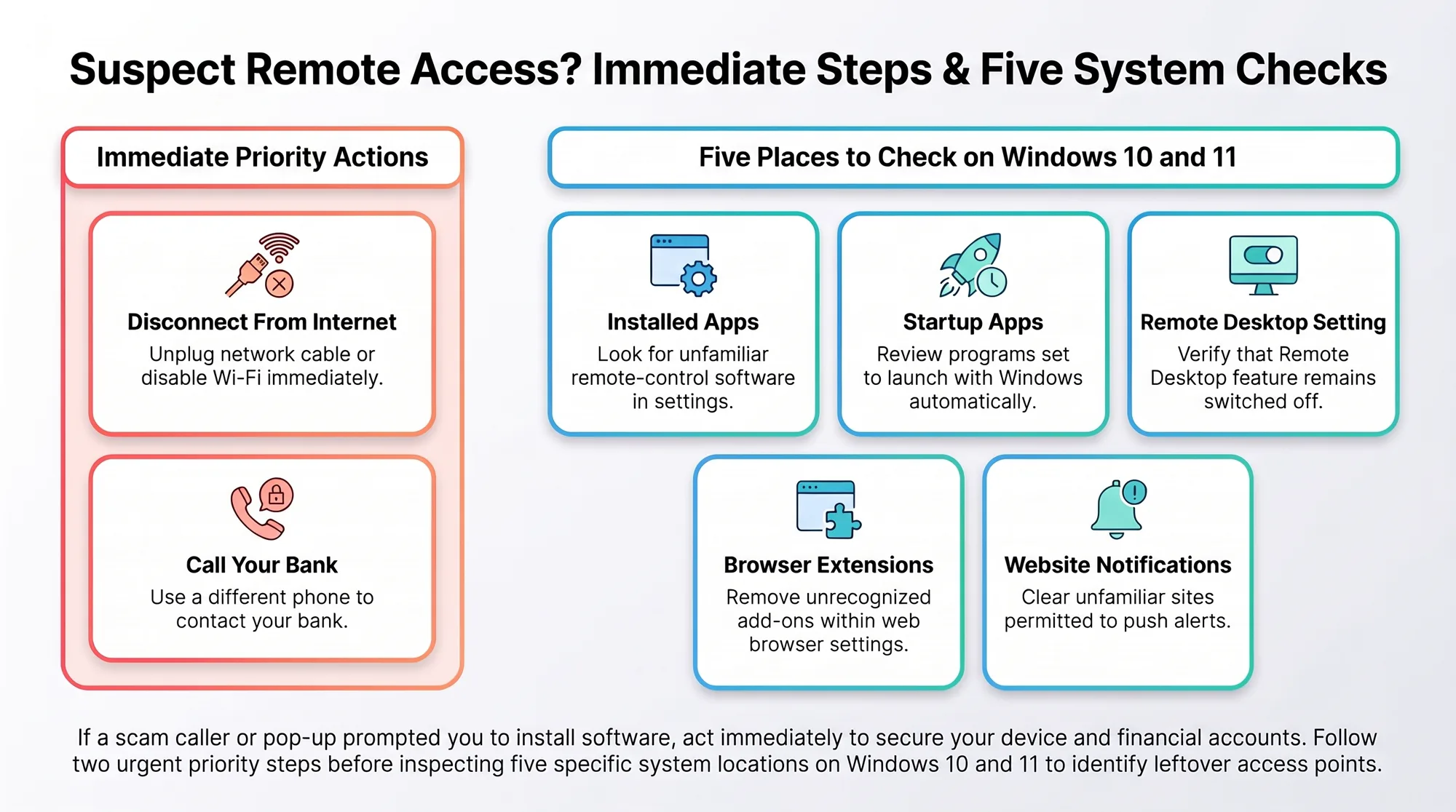
If a caller or pop-up had you install something, disconnect the PC from the internet and call your bank from a different phone. Then check five places: installed apps, startup apps, the Remote Desktop setting, browser extensions and website notifications. Uninstall what the caller had you add, run a full scan, and change your passwords from another device.
Surviving a Remote Desktop Scam: an audio overview of this article.
AI-voiced audio overview of this article. If it differs from the text, the text is the reference.
To tell if someone has remote access to your computer, check five places on a Windows PC: installed apps, startup apps, the Remote Desktop setting, browser extensions and website notifications. If a caller or a pop-up had you install something, disconnect from the internet before you check anything.
This guide is for the hour after a tech-support scam call, at home or in a small office in Denver, Boulder or Arvada. The steps come from the FTC, the FBI, Microsoft and Google. If you'd like the checks done for you, the free PC checkup in Reported reads the same places and changes nothing.
What should you do first if a scammer was on your PC?
Cut the connection first, then protect your money.
- Disconnect from the internet. Unplug the network cable or turn off Wi-Fi. A remote-control program needs a connection to work.
- Call your bank from a different phone. Use the number on the back of your card. The FBI warns that a scammer with remote access can capture your banking sign-in, then lock you out or put up a black screen while moving money.
- Don't bank on that PC until it is checked. The FBI's advice is not to do any banking while someone has remote access.
- If you paid with gift cards or a wire transfer, the FTC says to contact the card issuer or the wire company right away, say a scammer tricked you, and ask for a refund.
Our walk-through of the fake Geek Squad and Norton renewal call shows how these sessions usually begin.
How to tell if someone has remote access to your computer: five places to check
Remote access leaves traces in five places you can open yourself. These paths are for Windows 10 and 11 and the Chrome browser.
| Where | How to open it | What to look for |
|---|---|---|
| Installed apps | Start > Settings > Apps > Installed apps | A remote-control program you didn't choose, such as AnyDesk, TeamViewer, UltraViewer or ScreenConnect |
| Startup apps | Start > Settings > Apps > Startup, or the Startup apps tab in Task Manager | Anything unfamiliar that is set to start with Windows |
| Remote Desktop | Start > Settings > System > Remote Desktop | It should be off unless you use it. Only Windows Pro PCs can be connected to this way |
| Browser extensions | Chrome: More > Extensions > Manage extensions | Add-ons you don't remember adding |
| Website notifications | Chrome: Settings > Privacy and security > Site settings > Notifications | Sites you don't recognize on the allowed list |
The programs named above are legitimate products that offices and IT providers use every day. What matters is who put one on your PC. Microsoft's guidance on tech support scams says callers ask people to install applications that give them remote access to the device.
The two browser rows matter because many of these scams begin with a pop-up. Google's Chrome help lists virus alerts and pop-up ads that won't go away among the signs of unwanted software.
What does the Reported PC checkup look at?
Reported's PC checkup reads the same places in about a minute and reports in plain English. We built it, so this is exactly what it does:
- Programs. It compares installed programs with a list of more than 30 remote-control program names. One installed in the last 30 days is marked "Act now." An older one is marked "Worth a look."
- Startup items and recurring tasks. It flags any that run a hidden script or run from a temporary folder.
- Settings. It tells you if Remote Desktop is switched on.
- Browsers. In Chrome, Edge and Brave, it lists add-ons from outside the official store and unfamiliar sites allowed to send notifications.
It only reads. It changes nothing and sends nothing off the PC. It also has limits. It runs on Windows 10 and 11 only. Windows may show a blue "Windows protected your PC" box when you open the installer, because the program is new. And no checklist, ours included, can prove a PC is clean. A clear result means none of these known signs are present.
How do you remove a scammer's remote access?
Uninstall what the caller had you install, then treat every password typed on that PC as exposed. Microsoft's steps for anyone who gave access to a fake support agent:
- Uninstall the applications the scammer asked you to install. In Installed apps, select More, then Uninstall.
- Consider resetting the PC to its factory state. It is the thorough option when you can't tell what was changed.
- Run a full antivirus scan and install security updates. The FTC gives the same advice: update your security software, run a scan, and delete what it flags.
- Change your passwords and turn on two-factor authentication. Do it from a different device, email and banking first. Our guide to checking whether a password has leaked covers the order.
- Watch for unusual sign-ins, and contact your bank if you paid anything.
When is a remote-control program normal?
A remote-control program is normal when you or your IT provider put it there on purpose. A managed service provider installs monitoring and remote-support tools as part of the job. Microsoft's Quick Assist does the same for family help. Microsoft's rule for it is to use it only with people you trust, and to let a helper connect only if you started the contact.
In a small office, write down which remote tool your IT person uses. Anything else that shows up deserves a question. And nobody installs remote software because a caller asked.
At Lab 5280 we work with your team, not just for you, and our focus is automating how a business runs. A short written list of approved tools is the kind of small record that makes a surprise obvious.
Where do you report a remote access scam in Colorado?
Report a remote access scam to the FTC at ReportFraud.ftc.gov and to the FBI at ic3.gov. In Colorado, the Attorney General's Consumer Protection Section runs Stop Fraud Colorado, which takes complaints at coag.gov/file-complaint. Microsoft collects reports of fake support calls at microsoft.com/reportascam, whichever company the caller claimed to be from.
Common questions
Can someone access my computer remotely without me knowing?
It is possible. A remote-control program that was left installed can start with Windows. That is why the check covers installed apps, startup apps and the Remote Desktop setting.
Does uninstalling the remote-control program remove a scammer's access?
It removes that program, but it does not undo anything else done during the session. Microsoft also advises a full antivirus scan, security updates and new passwords, and says to consider resetting the device.
Is AnyDesk or TeamViewer a virus?
No. They are legitimate remote-support products. The warning sign is a copy you did not choose to install, or one that a caller, an email or a pop-up told you to install.
Want the checks done for you?
Reported's free PC checkup reads these places in about a minute and tells you what it found in plain English. It only reads, and nothing leaves your PC.
Open ReportedManaged IT (new clients from 2027) · Lab 5280 in Boulder · Free site audit
- How To Spot, Avoid, and Report Tech Support Scams — Federal Trade Commission
- What To Do if You Were Scammed — Federal Trade Commission
- Scammers Using Computer-Technical Support Impersonation Scams to Target Victims and Conduct Wire Transfers (I-111022-PSA) — FBI Internet Crime Complaint Center
- Tech support scams — Microsoft Learn
- Uninstall or remove apps and programs in Windows — Microsoft Support
- Configure startup applications in Windows — Microsoft Support
- How to use Remote Desktop — Microsoft Support
- Solve PC problems remotely with Quick Assist — Microsoft Support
- Use notifications to get alerts — Google Chrome Help
- Install and manage extensions — Chrome Web Store Help
- Remove unwanted ads, pop-ups and malware — Google Chrome Help
- Stop Fraud Colorado — Colorado Attorney General's Office, Consumer Protection Section
- Reported: what the PC checkup reads — Lab 5280