Is this email a scam? A free checker that never uploads your mail
We built Reported so anyone can paste a suspicious message and get a straight answer in plain English, without sending it to anybody.
Reported is a free tool from Lab 5280. Paste a suspicious email or text, press Check, and it tells you whether it looks like a scam and why. It runs inside your browser and uploads nothing. It can also check your Windows PC and tell you if a password has shown up in a breach. Open Reported.
How to Stop AI Email Scams: an audio overview of this article.
AI-generated audio made with Gemini Notebook from this article. The hosts add their own examples and comparisons. If it differs from the text, the text is the reference.
"Is this email a scam?" is the question we hear most from small businesses around Denver, Boulder and Arvada, and from their families. It used to be easy to answer: bad spelling, a strange greeting, a prince with a problem. That test has stopped working. The messages people forward to us now are polite, well written and often arrive inside a real conversation.
So we built a tool that looks at the things a scammer can't easily fake, and explains what it found in words anyone can follow.
Why it's harder to tell than it used to be
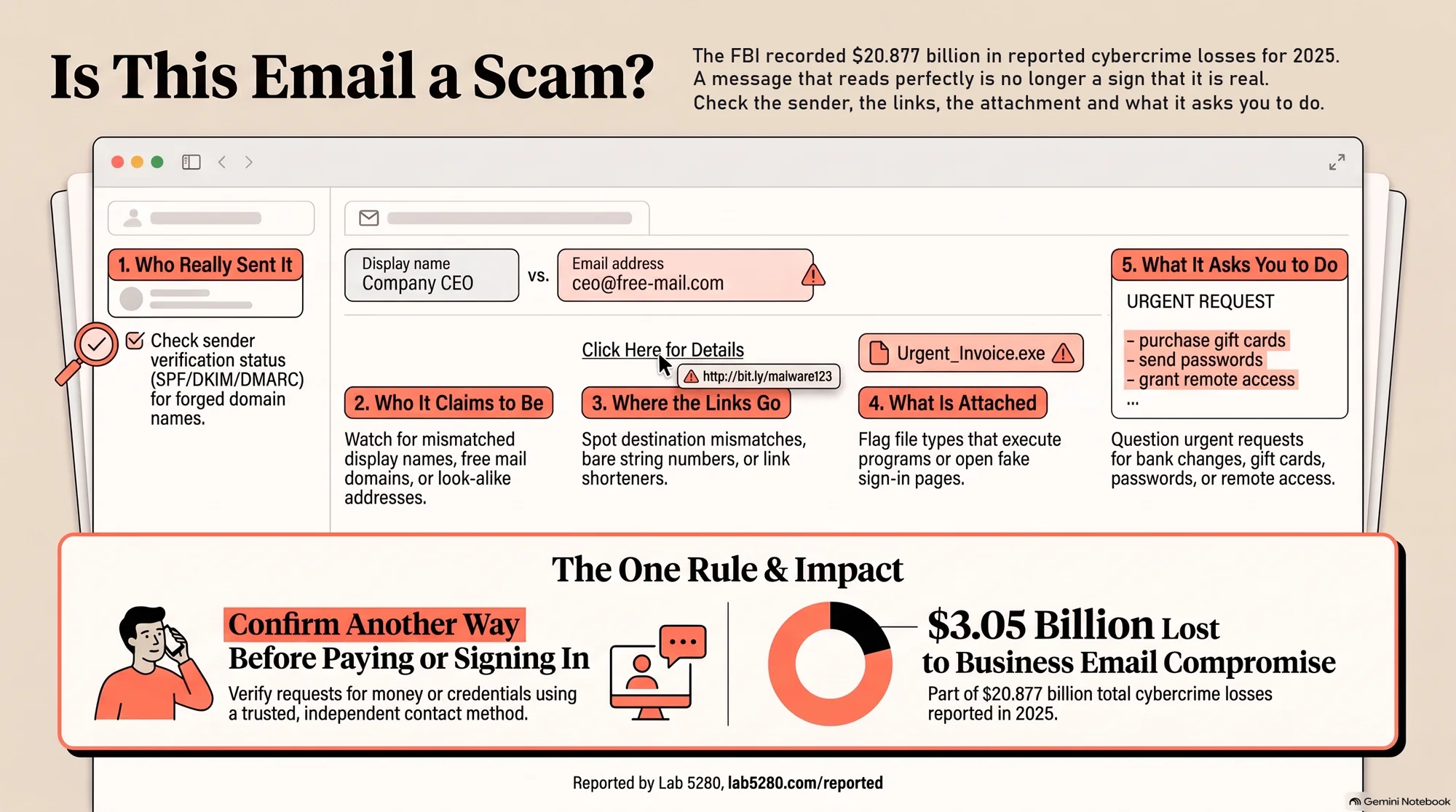
The FBI's Internet Crime Complaint Center recorded $20.877 billion in reported cybercrime losses for 2025. One category alone, business email compromise, where a message tricks someone into paying the wrong account, accounted for $3.05 billion. One law firm's summary of the same report notes more than $30 million of those losses had a confirmed link to AI. A message that reads perfectly is no longer a sign that it's real.
The Federal Trade Commission's list of what phishing messages say is a better guide than grammar. According to the FTC, they may claim there's suspicious activity on your account, say there's a problem with your payment information, ask you to confirm personal details, include an invoice you don't recognize, or push you to click a link to make a payment.
Is this email a scam? What Reported checks
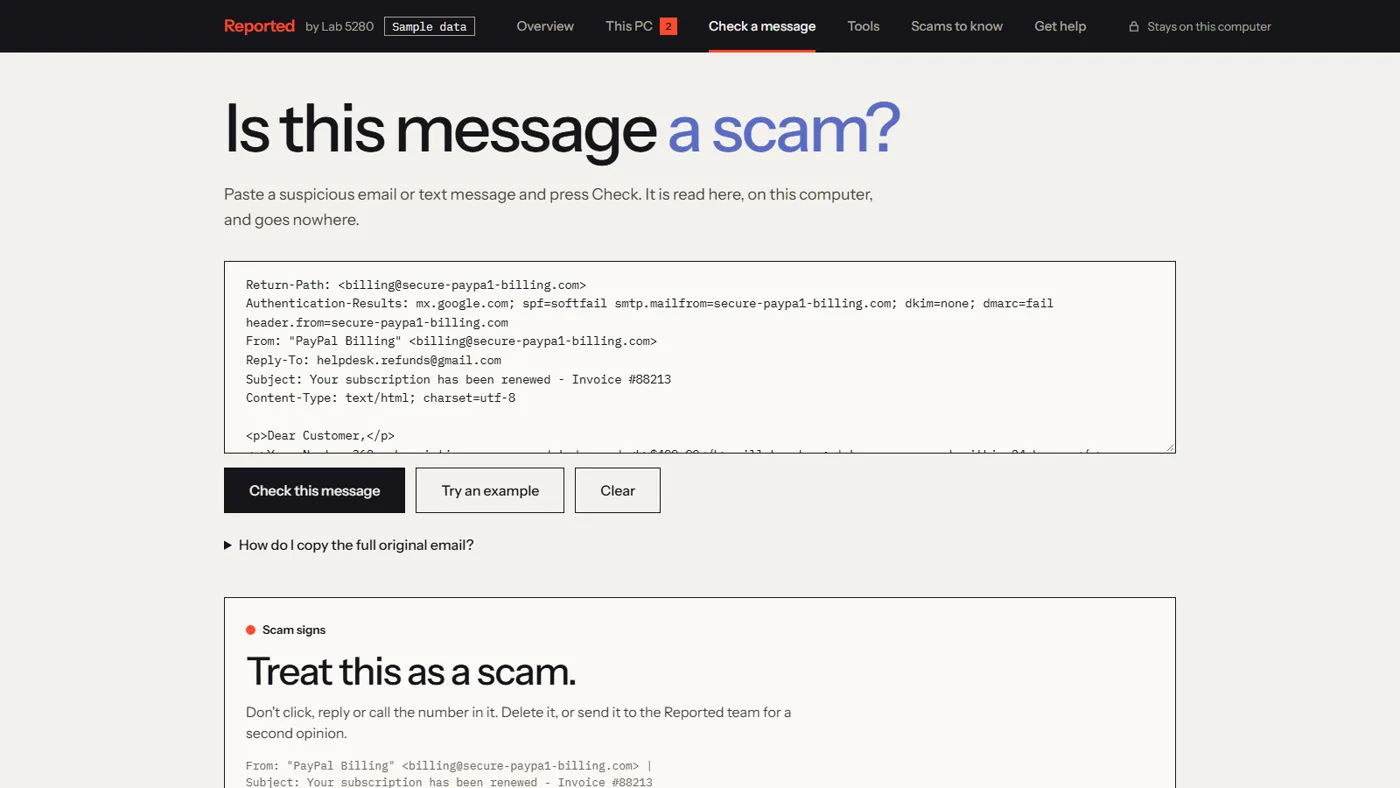
When you paste a message, Reported looks at five things:
- Who really sent it. Mail providers stamp every message with the result of a sender check (the technical names are SPF, DKIM and DMARC). If the domain in the From line says "this didn't come from us," Reported tells you. That is the strongest sign of a forged sender.
- Who it claims to be. A name like "PayPal Billing" on an address that has nothing to do with PayPal, or on a free mail account, gets flagged. So does a look-alike address where a letter has been swapped for a number.
- Where the links go. A link written as one address that actually leads to another, a link to a bare string of numbers, and link shorteners that hide the destination.
- What's attached. File types that can run a program or open a fake sign-in page.
- What it asks you to do. Change bank details, buy gift cards, let someone connect to your computer, call a number about a renewal you never ordered, sign in urgently, or keep it secret.
Each finding is marked as a warning sign or a caution, with one sentence on why it matters. At the top is a plain verdict, such as "Treat this as a scam" or "Be careful with this one."
How to use it in under a minute
- Open lab5280.com/reported and choose Check a message.
- Paste the email or text. For the fullest check, paste the "original" version of an email, which includes the sender check. In Gmail that's the three dots, then Show original. The page lists the steps for Outlook and Apple Mail too.
- Press Check this message and read the verdict.
- Not sure what you're looking at? Press Try an example first to see a real scam taken apart.
Why nothing gets uploaded
A suspicious email often contains exactly what you don't want to hand to a stranger: names, account numbers, a conversation with your bank. So Reported does its reading inside your own browser. The message never leaves your computer, and the tool never displays the email's own content, so nothing inside the message can run.
Two optional lookups do go online, and each says what it sends before you press the button. The password check is the interesting one. It scrambles your password on your computer and sends only the first five characters of the scrambled version to Have I Been Pwned, the public breach database, which sends back possible matches for your browser to compare. The database never receives the password.
What else it does
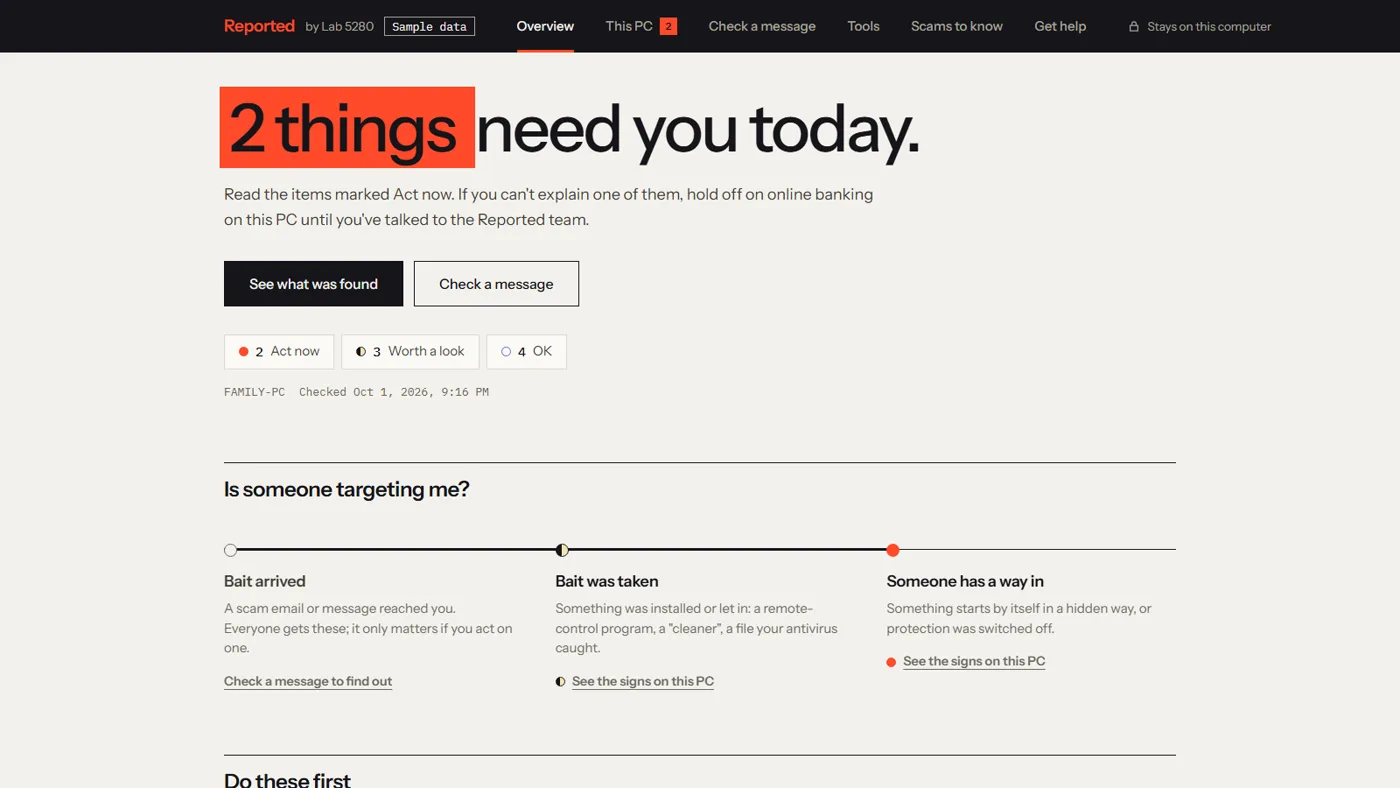
- A PC checkup for Windows. A read-only look at your antivirus, installed programs, what starts automatically, browser add-ons and a few settings. It flags the marks scammers leave behind, like a remote-control program you didn't mean to install. It changes nothing and sends nothing.
- Has this password been exposed? The lookup described above.
- Checklists for cutting down robocalls and freezing your credit, taken from FTC guidance.
- Ten common scams in one line each, including the ones no scan can catch because they happen on the phone.
What it can't do
Reported finds common warning signs. It can't prove a message is safe. A scam sent from a real mailbox that a criminal has broken into will pass the sender check, which is exactly how the fake-invoice scam works; in that case only the "what it asks you to do" checks will fire. Some scams never touch your inbox at all, like the fake voicemail that arrives as a calendar invite.
So keep the one rule that beats every tool: if a message asks for money, a password or a phone call, confirm it another way, using a number or a website you already had.
If it is a scam
- Don't click, reply or call the number in it.
- Report it. The FTC asks people to forward phishing emails to reportphishing@apwg.org, forward scam texts to 7726 (SPAM), and report at ReportFraud.ftc.gov.
- If you already clicked or replied, the FTC points to IdentityTheft.gov for steps based on what was exposed.
Common questions
Is it safe to paste an email into a scam checker?
It depends on the checker. Reported reads the message inside your own browser and sends it nowhere, and it never displays the email's own content, so pasting is safe. Be wary of any checker that asks you to upload or forward the message.
Can a checker prove an email is safe?
No. A checker can find common warning signs. A clean result means none were found, not that the message is safe. If it asks for money, a password or a phone call, confirm another way first.
What should I do with a scam email?
Don't click, reply or call the number in it. The FTC says to forward phishing emails to reportphishing@apwg.org, forward scam texts to 7726, and report at ReportFraud.ftc.gov. Then delete it.
Why we made it
At Lab 5280 we work with your team, not just for you, and our focus is on automating how a business runs. Part of that is making the safe choice the easy one. A tool your bookkeeper, your office manager or your mother can use in thirty seconds, without calling anyone, does more good than a policy nobody reads. If Reported flags something and you'd like a person to look, the tool has a way to ask.
Got an email you're not sure about?
Paste it into Reported. It's free, it's private, and it takes less time than deciding whether to worry.
Open Reported- How to Recognize and Avoid Phishing Scams — Federal Trade Commission
- 2025 IC3 Annual Report — FBI Internet Crime Complaint Center
- FBI releases its Internet Crime Complaint Center 2025 Annual Report — McDonald Hopkins
- API documentation: Pwned Passwords range search — Have I Been Pwned
- How To Block Unwanted Calls — Federal Trade Commission